Building Scalable Real-Time Applications with WebSockets and Node.js
Think about the apps you use every day: a delivery tracker that moves across the map, a chat that shows a message the instant it is sent, a dashboard that updates without a refresh. All of them rely on real-time communication. Traditional web requests were not designed for this, which is why WebSockets and Node.js have become a popular pairing for live features.
This guide explains how WebSockets work, how to design them so they scale, and which mistakes to avoid as your user base grows.
What Are WebSockets and When Should You Use Them?
With standard HTTP, the browser asks and the server answers. If you want fresh data, you have to ask again, and again. WebSockets change this by opening one long-lived, two-way connection, so either side can send data at any moment without a new request.
That makes WebSockets a strong fit for:
- Live chat and customer support widgets
- Real-time dashboards and analytics screens
- Notifications and activity feeds
- Collaborative tools such as shared documents or whiteboards
- Live tracking, trading screens and multiplayer features
Real-time features are especially valuable in SaaS platforms and fintech products, where live data directly shapes user trust. If updates only flow from server to browser, such as a news ticker, Server-Sent Events or simple polling may be easier to run. Choose WebSockets when users and servers both need to talk freely.
Why Node.js Works Well for WebSocket Applications
Node.js uses an event-driven, non-blocking model. Instead of dedicating a thread to every connection, it manages many connections in one process and reacts to events as they arrive. Because most WebSocket connections sit idle between messages, this model uses resources efficiently.
Using JavaScript in both the browser and the server also helps teams share validation logic, data formats and skills. Libraries such as ws and Socket.IO handle the low-level details, and Socket.IO adds extras like automatic reconnection and rooms. Teams building full products often pair this with React or Next.js, which we cover in our guide to enterprise Next.js and React development.
A Minimal WebSocket Server in Node.js
The example below uses the ws library to accept connections and share every incoming message with all connected clients. Treat it as a learning starting point, not a production design.
const { WebSocketServer } = require('ws');
const wss = new WebSocketServer({ port: 8080 });
wss.on('connection', (socket) => {
socket.on('message', (data) => {
// Share the message with every connected client
wss.clients.forEach((client) => {
if (client.readyState === 1) client.send(data.toString());
});
});
});
Notice what is missing: there is no authentication, no limit on message size and no way to run more than one server. The rest of this article closes each of those gaps.
Designing a Scalable WebSocket Architecture
A single Node.js server can handle a surprising number of connections, but every serious product eventually needs more than one instance. Plan for that early.
Keep Your Servers Stateless
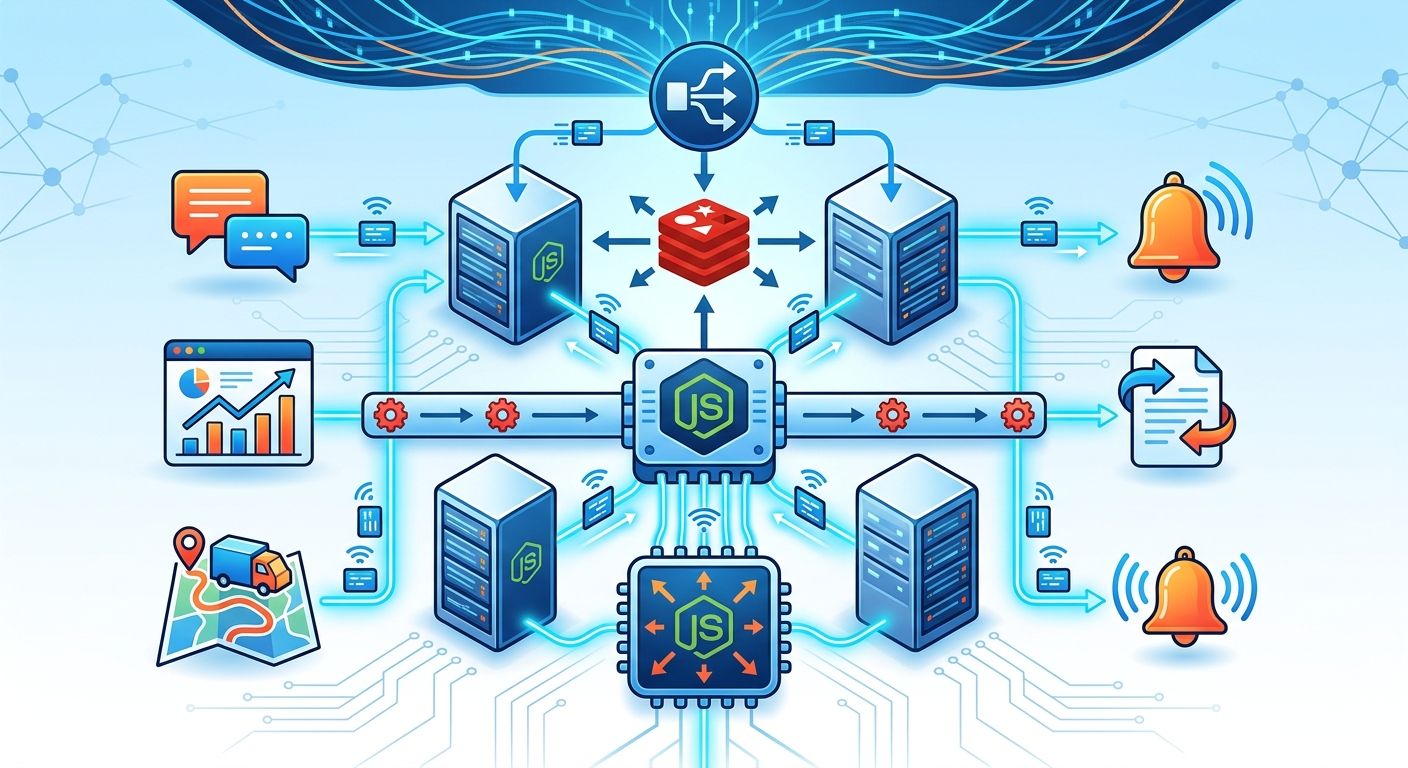
If user sessions or room data live only in one server’s memory, adding a second server breaks things. Store shared state in an external system such as Redis or a database so any instance can serve any user.
Configure the Load Balancer Correctly
WebSocket connections begin as an HTTP upgrade request, so your load balancer or reverse proxy must support upgrades and use idle timeouts long enough to keep connections open. Some setups also need sticky sessions, especially when a library falls back to long polling.
Use Redis Pub/Sub to Broadcast Across Instances
When a user connected to server A sends a message meant for a user on server B, the servers need a way to talk. A publish/subscribe channel, commonly built with Redis, lets each instance publish events and listen for others, so every client receives updates no matter which server holds its connection.
Move Heavy Work Out of the Connection Path
Image processing, report generation and third-party API calls should not run inside your WebSocket handlers. Push that work to a message queue and background workers, then send the result back when it is ready. This keeps the event loop free and responses fast.
Use Rooms and Channels
Instead of broadcasting everything to everyone, group clients into rooms, such as one per chat, document or order. Targeted delivery cuts bandwidth and keeps each client’s workload small.
Keeping Connections Reliable
Networks drop, phones switch from Wi-Fi to mobile data and laptops go to sleep. A reliable real-time app expects all of this.
- Heartbeats: send periodic ping messages and close connections that stop responding
- Automatic reconnection: have the client retry with increasing delays instead of hammering the server
- Acknowledgements: confirm important messages so the sender knows they arrived
- Resync on reconnect: let clients request missed events using a last-seen ID or timestamp
Securing Your WebSocket Connections
Open connections are open doors, so security needs deliberate attention:
- Use encrypted wss:// connections in production
- Authenticate during the handshake with a token, not after the connection is already open
- Check the Origin header to block unauthorized websites
- Validate every incoming message and limit its size
- Apply rate limits per connection to prevent abuse
Real-time features often carry sensitive data such as payments or private messages. A broader security review, like the one offered through our cybersecurity services, helps catch weaknesses before attackers do.
Monitoring and Cost Control
Track the number of open connections, memory per instance, message latency and error rates. These numbers show when to add capacity and which part of the system is under strain. Persistent connections can also raise infrastructure bills, so compare hosting options before you commit. Our guide to cloud cost optimization across AWS, Azure and GCP is a good starting point, and our cloud and DevOps services can help with autoscaling and deployment pipelines.
Common Mistakes to Avoid
- Storing connection state in a single server’s memory
- Broadcasting every event to every user
- Skipping heartbeats and reconnection logic
- Running heavy tasks inside message handlers
- Load testing only after launch
Final Thoughts
WebSockets and Node.js give you a direct path to fast, interactive products, but scalability comes from architecture, not from the protocol alone. Keep servers stateless, route messages through a shared channel, protect every connection and measure what matters. Start simple, test under realistic load and grow step by step.
Need Help Building a Real-Time Application?
DevLogix designs and builds scalable custom software, including real-time platforms, for growing businesses. Explore our web development services or add senior Node.js engineers through IT staff augmentation. Ready to talk? Contact us to discuss your project, or learn more about DevLogix.